Corporate headshots that don't look like a lanyard photo.
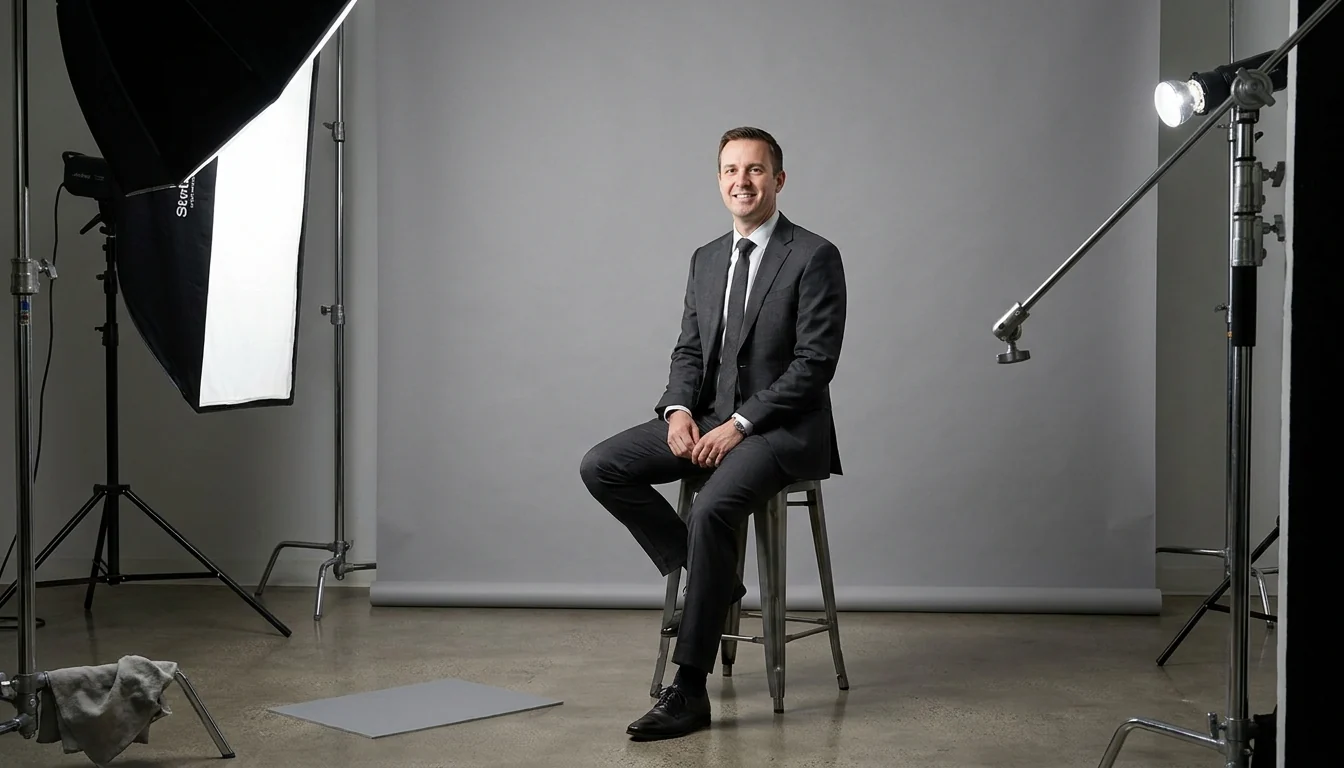
Corporate headshots are the most-viewed photographs a company owns and the ones it thinks about least. Every proposal, every LinkedIn profile, every "meet the team" page, every conference bio, all of it runs on a photo that was probably taken four jobs ago against a beige wall. A headshot day is cheap, fast, and one of the few pieces of content that pays off for years. Here is how to run one so it actually works, and what separates a good corporate portrait from a passport photo with better lighting.
Photos that all match are what you are really paying for
The most common failure is not a bad photo. It's forty good photos that don't match. A team page where every portrait has a different background, crop and colour temperature reads as disorganised no matter how good each individual frame is.
- One lighting build for the whole team. Lock it, meter it, don't drift over the day. This is what makes the grid look intentional.
- Same crop, same framing height. Eyes at a consistent point in frame across every portrait. It sounds pedantic and it is the single biggest visual difference.
- Same backdrop for everyone in the same group. If leadership gets environmental portraits, that's a deliberate tier, not an accident of who was available.
- Plan for the person who was off sick. Ask how new starters get matched later. A photographer who can't reproduce the setup in six months has handed you a problem.
- Decide the retouching standard once. Clean up temporary blemishes and stray hairs, leave the person recognisable. Over-retouched corporate portraits age badly and make people uncomfortable.
We shoot on-site in Dallas and Las Vegas, and pair headshot days with executive interview video from the same lighting build. The setup is already paid for. See the work →
Studio-style or environmental?
These are different products for different jobs, and most companies need both:

Environmental portraits carry more character but are harder to keep consistent across a large team.
- Studio-style, clean backdrop. Fast, consistent, interchangeable. The right answer for a whole-team page, an internal directory, or anywhere the photos sit in a grid. Grey and off-white are the safest; a dark backdrop looks sharper but shows every stray hair.
- Environmental, in the real workplace. More character, better for leadership pages, press use and speaker bios. Slower per person and much harder to match across many people, so use it selectively.
- Match the backdrop to your brand, not to fashion. If your site is dark, mid-grey and dark backdrops sit better. If it's light and airy, a white or light-grey backdrop won't fight the design.
- Shoot a cut-out-safe frame while you're set up. An evenly lit background makes clean background removal possible later, which is what saves you when marketing wants the team on a brand-coloured panel.
- Get a horizontal version. Almost every request later, website banners, slide layouts, press kits, needs a wider crop that a tight vertical headshot cannot provide.
Running the day so it doesn't fall apart
Headshot days rarely fail on photography. They fail on logistics:
- Book named slots, not a drop-in window. A shared calendar with 8- or 10-minute slots. Open sign-up windows produce a queue of twelve people at 11am and an empty room at 2pm.
- Send wardrobe guidance a week ahead. Solid mid-tones, no tight patterns or thin stripes, avoid pure white on light backdrops. Free to send, and it visibly improves the results.
- Give us a room with power and some control over the light. Roughly 12 by 15 feet is enough. A conference room with blinds beats a bright open-plan corner every time.
- Put a mirror next to the set. Thirty seconds to fix hair before the frame beats twenty minutes of retouching after it.
- Build in a catch-up slot. Someone will be in a meeting. Two spare slots at the end of the day saves scheduling a return visit.
- Nominate one approver. Fifty people choosing individually is what turns a one-week delivery into a one-month one.
- Have the person shooting actually talk to people. Most people hate being photographed. The difference between a stiff portrait and a warm one is almost entirely whether the photographer got them to stop performing for about four seconds.
Sort the file specs before the shoot, not after
- Ask your systems people for exact dimensions. HR platforms, CRMs and intranets frequently demand specific pixel sizes, and some crop to a circle, which needs margin around the head that a tight crop doesn't leave.
- Agree the crop set. Square for LinkedIn and directories, 4:5 or 5:7 for print and press, plus a wider frame for web layouts.
- Get a high-resolution master as well as web files. The day someone needs a portrait for a conference programme at print resolution, a 600-pixel web file is useless.
- Settle usage rights in writing. Website, social, press, print, recruitment advertising and third-party use are not automatically all included. Agree it before the shoot.
- Name the files usefully. `lastname-firstname-square.jpg` beats `IMG_4471.jpg` when someone in HR has to match 60 files to 60 people.
Get more out of the same day
The lighting build and the room booking are the expensive parts, and they're already paid for by the time the first portrait is shot:
- Executive interview video from the same setup. A headshot lighting build is most of an interview setup. Six short answers to questions your sales team gets asked is three months of LinkedIn posts. More on video for companies that sell to businesses →
- Team and department group shots. Ten minutes each, and they solve the "we have no photo of the whole team" problem that surfaces every time you need a press image.
- Office and culture photography. Real workspace images for the careers page. Recruitment content is usually an easier internal budget approval than marketing spend.
- Vertical clips for social. A few seconds of each executive introducing themselves, captured while they're already lit and already there.
- Conference headshot booths. If you exhibit, offering free headshots at your booth is one of the best ways to get people to stop and leave their details at a business trade show. More on trade show coverage →
This is the same idea as the filming day: pay for the setup once, then get everything you can out of it.
Need headshots for your team?
Tell us the headcount and the location. 30-minute call, quote within 48 hours.
Book a free callRelated guides
- Dallas commercial photographer
- Fort Worth commercial photographer
- Richardson video production & the Telecom Corridor
- Dallas corporate video production
- Las Vegas corporate video
- One filming day: three months of posts
- Dallas trade show & conference video
- Dallas product photography & video
- What video production costs in DFW
The studio images on this page are illustrative and were created digitally. Our actual client work is in the portfolio.