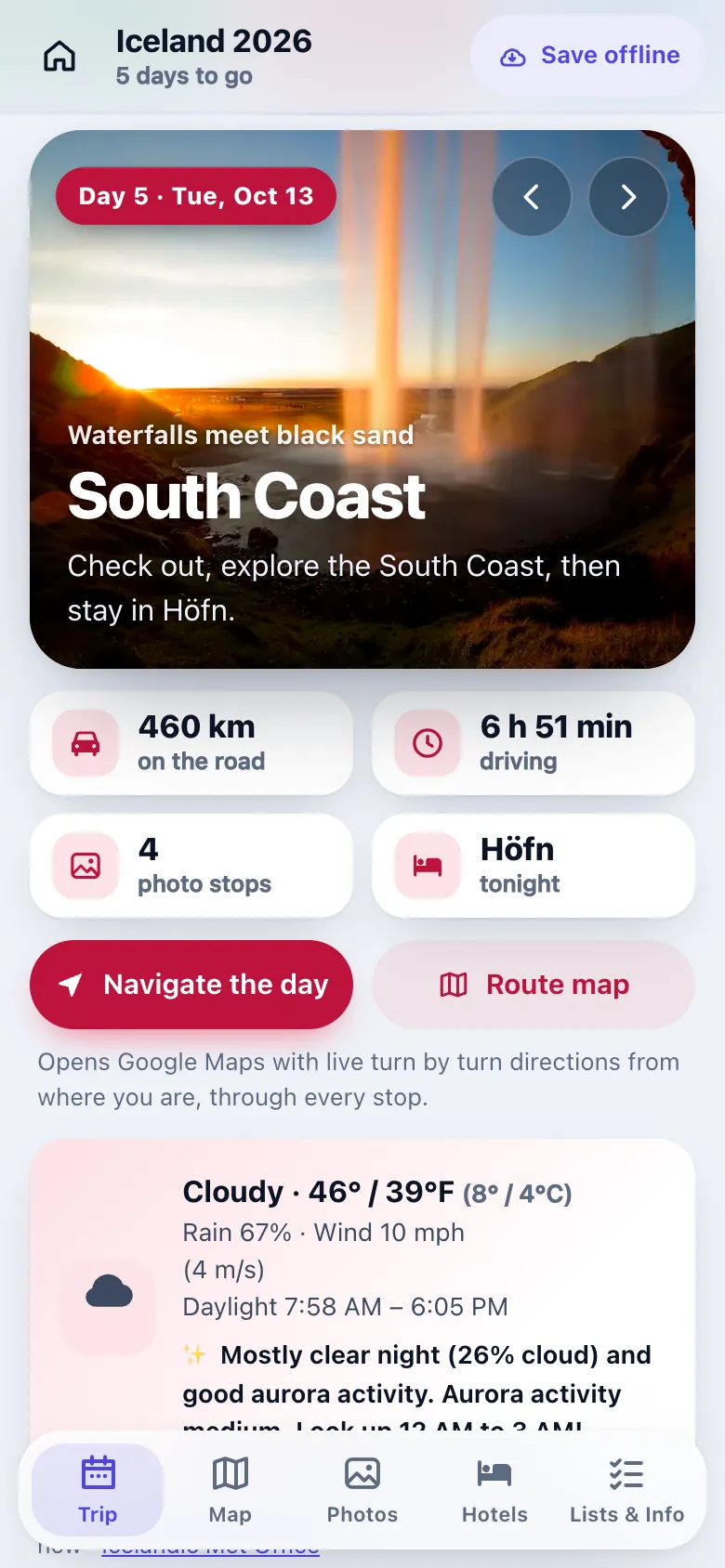
01Today’s plan
Today, at a glance
Where they’re going, the drive, the weather and tonight’s hotel. Then every stop, in order.
We turn your itinerary into a trip app with your logo. Every day and stop, with photos, video and maps, in one link. We build it and keep it updated.
What Passage is
Guests skim the PDF, then ask you in the group chat. Passage shows them the trip instead.
Any format: a PDF, a document, a spreadsheet or an email.
Photos, video and maps for every day and stop.
Nothing to download. We keep it up to date during the trip.
Made for
What guests get
Big buttons, plain words, nothing to install.
01Today’s plan
Where they’re going, the drive, the weather and tonight’s hotel. Then every stop, in order.
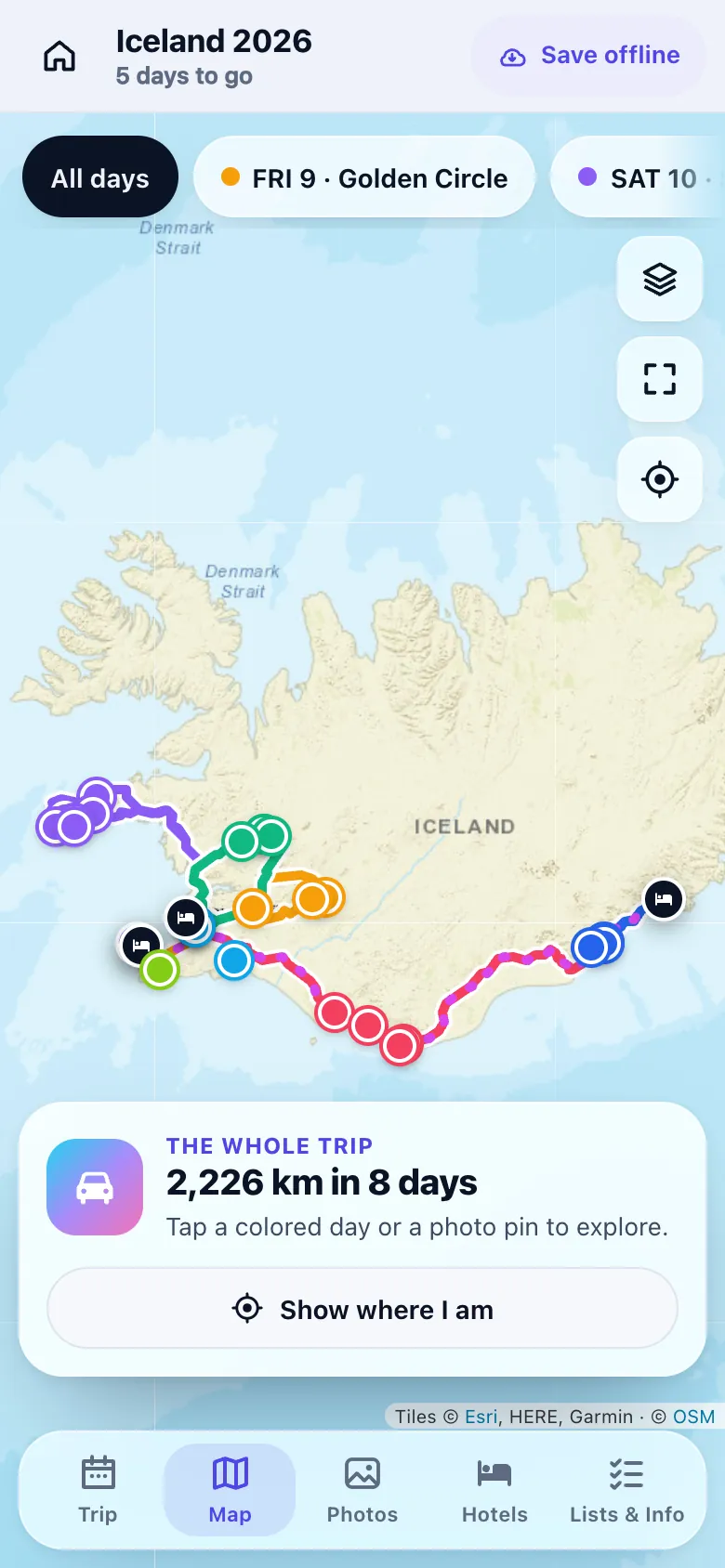
02Maps
Each day has its own color. Tap a pin to see the place, then tap Go for directions.
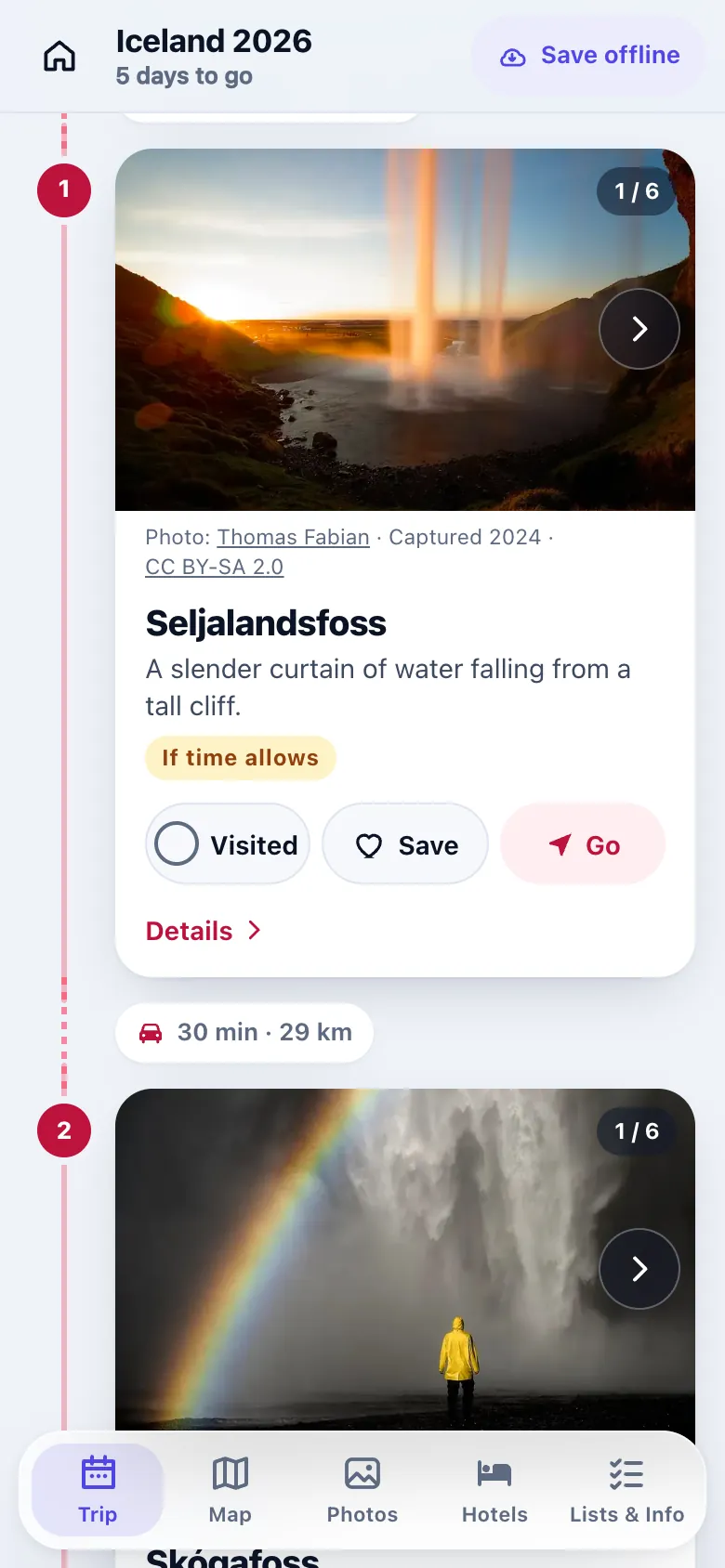
03Meeting points
Every meeting point has a photo, a time and a Go button. Fewer “where do we meet?” texts.
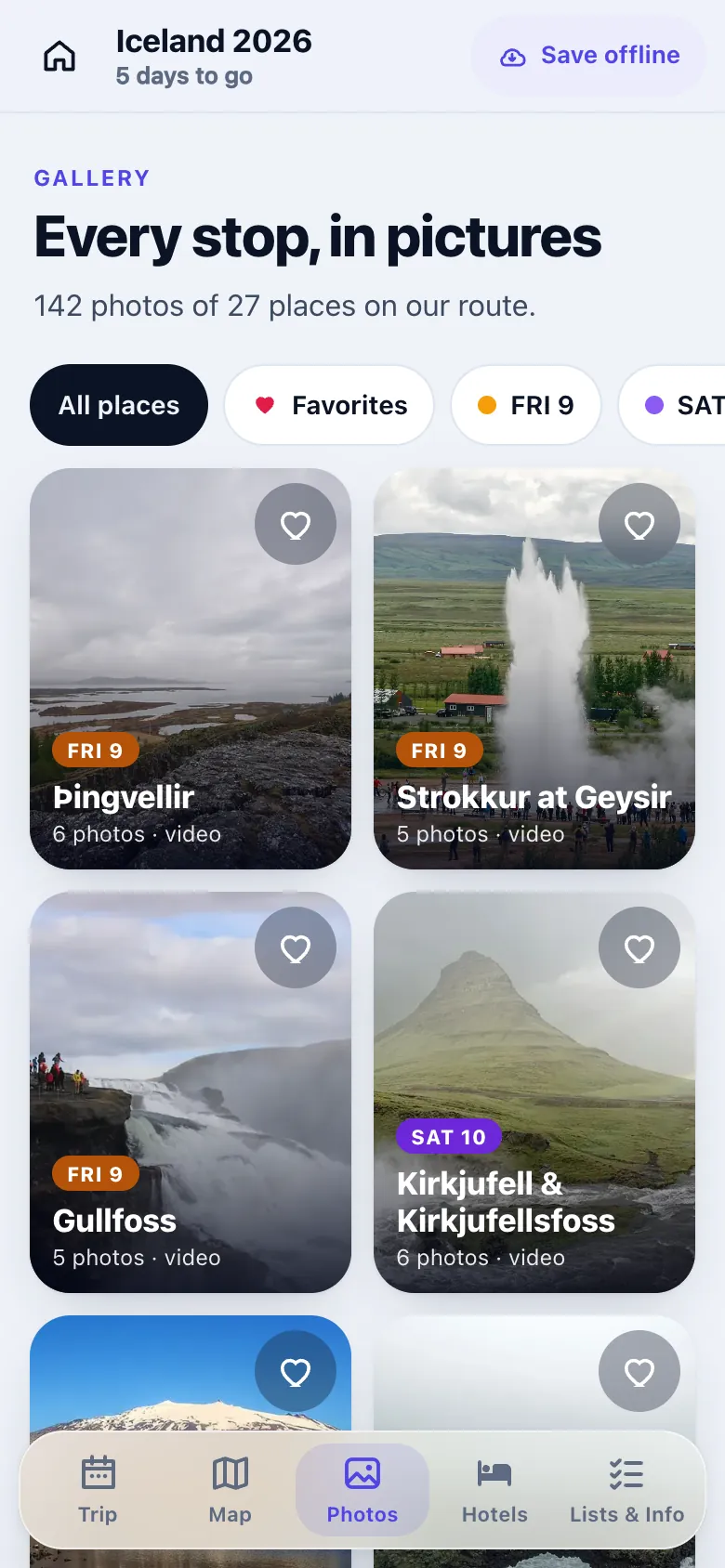
04Photos & video
Photos and video for every stop, so guests open it and get excited before the trip.
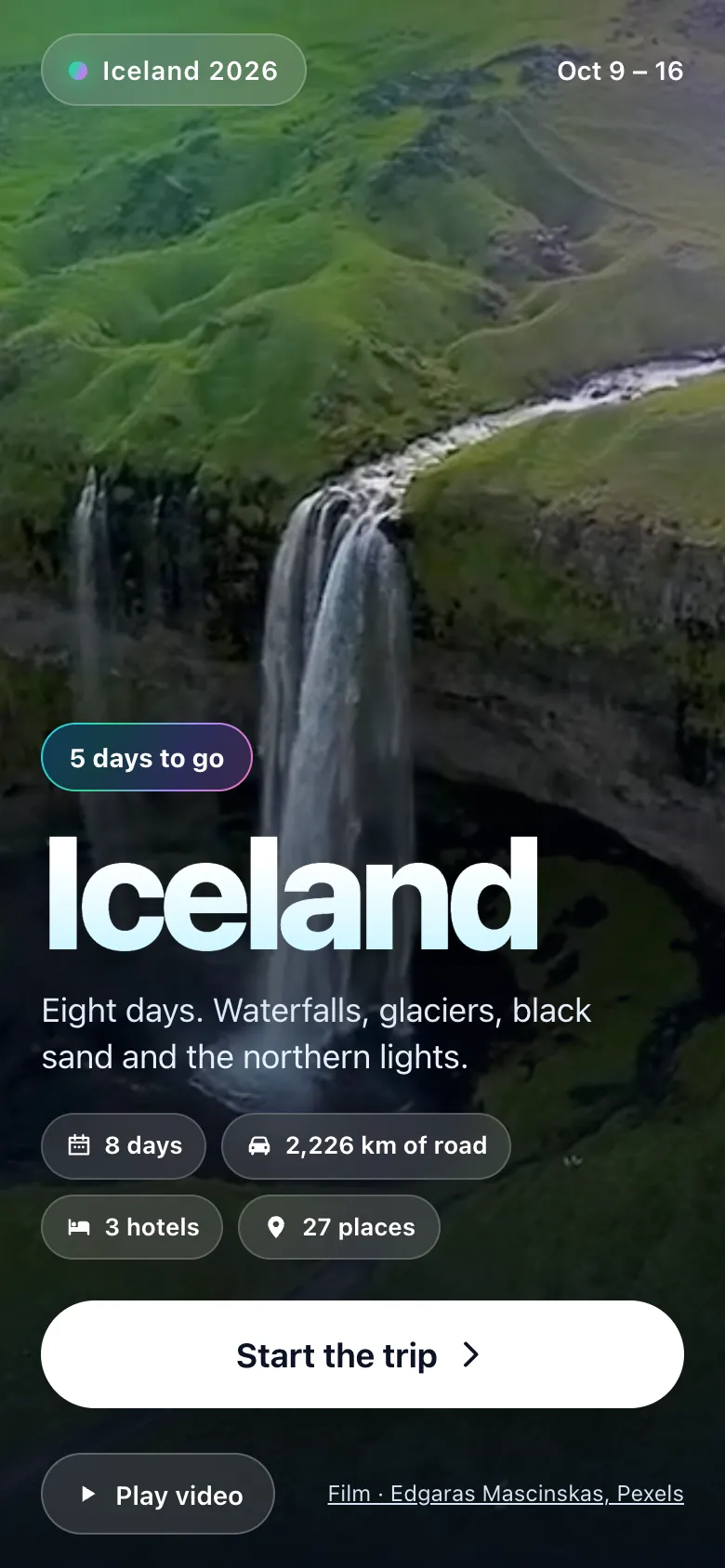
05Live updates
Tell us what changed. We update it, and everyone sees the new plan on the same link.
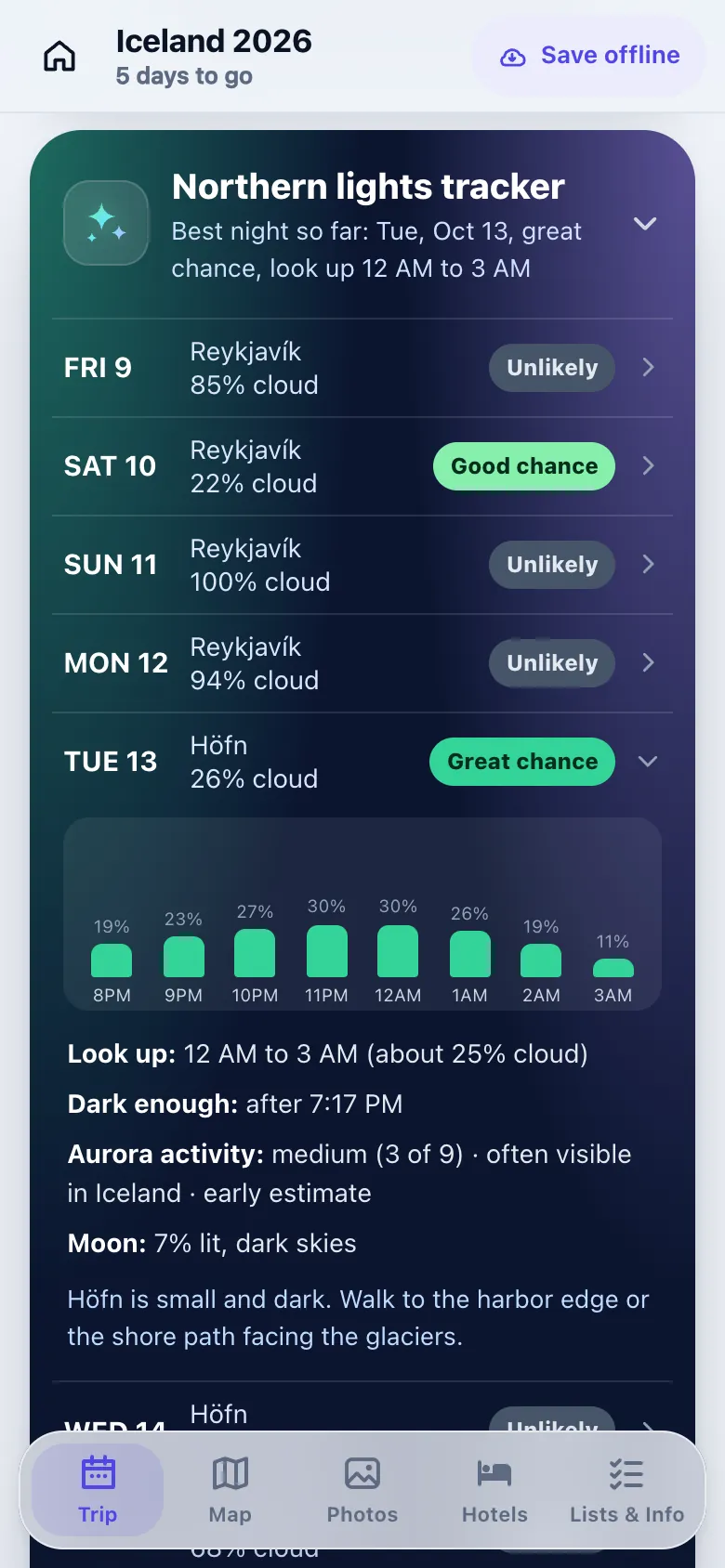
06Destination extras
In Iceland, it checks the cloud cover each night and says when to look for the northern lights.
How it works
Done for you. No tools to learn.
Watch
Who we are and what Passage does, in plain English. Sound on.
Step 1 · Today
Tell us about the trip. Send the itinerary after.
Step 2 · Within 48 hours
Your trip, in your logo and colors. No commitment.
Step 3 · In 5 business days
Guests get the full app. We handle the updates during the trip.
Your next group trip
Book a free call with Charles. After the call, we’ll build you a free preview of your trip.
On Google Meet. You pick the time.
Questions
Anything else? Book a free call or email charles@pictureperfectvideo.com. Or watch our short travel tips videos.
No. It opens from one link on any phone. Guests can add it to their home screen so it opens like an app.
Your itinerary, in any format: a PDF, a document, a spreadsheet or an email. Plus your logo.
It depends on the trip. Book a free call and we’ll walk you through it.
We do. Send us the change and we update the app, usually within the hour, 8 AM to 9 PM destination time. Everyone sees it on the same link.
Yes. Guests tap Save offline once on Wi-Fi. Day plans, photos, lists and the route map then work with no signal.
Yes. Each trip app has a trip password. There are no accounts, ads or tracking.
Want this for your group? Book a free call with Charles.
Book a free call